![jobilla_logo_white.png]](https://help.jobilla.com/hs-fs/hubfs/jobilla_logo_white.png?height=50&name=jobilla_logo_white.png)
You can invite members of your organization as users in the system via the Settings button located in the top left corner of the homepage. You will need Admin permissions on your company account to do this.
Open Settings and go to Organization settings, where you can view your company’s users.
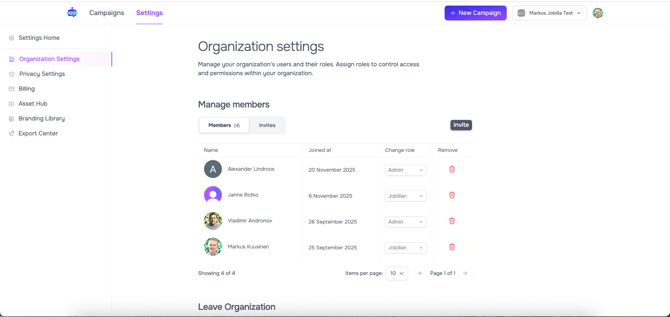
On this page, you can manage the permissions of existing users and invite new members using the Invite button.
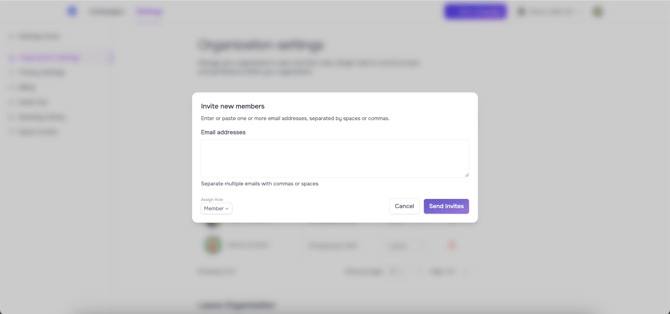
In the Invite view, simply enter the email address and select the access level (Admin / Member) from the lower right corner, after which you can send the invitation.
If you need to revoke invitations, you can open the Invites tab next to the Members and revoke the wanted invitation.
For removing users, just click on the trash can icon next to the users name.